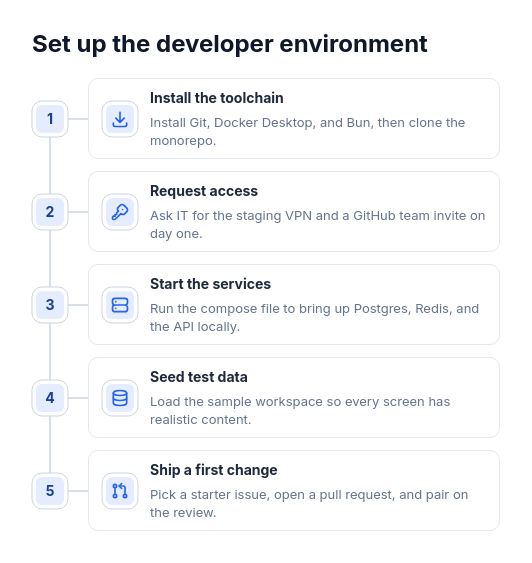
Diagram template
Steps: vertical left rail
A vertical rail on the left with a numbered marker for every step, each joined to a white card on its right that holds a tinted icon tile, a title, and a description.
Categories
Included in
Free, Pro, Power, Max
When to use it
Use for three to seven steps of one process read top to bottom, such as setup instructions, an onboarding checklist, or an incident procedure, where each step needs a sentence of detail. Not for dated milestones, steps in two parallel tracks, cycles that repeat, or items with no order.
Adjust after generating
Change the style, colors, and font, and these options, as often as you like without spending credits.
- Card shape
- Card fill
- Color distribution
- Card border
- Card shadow
- Typography
- Icon shape
- Icon size
- Icon fill
- Icon shell
- Spacing
- Alignment
- Material
- Connectors
- Line weight
What you fill in
Describe your topic in plain words and the AI fills these in. You can edit every field afterwards.
- Steps
- 3 to 7, each with title, optional description, and icon
Related templates
All process templates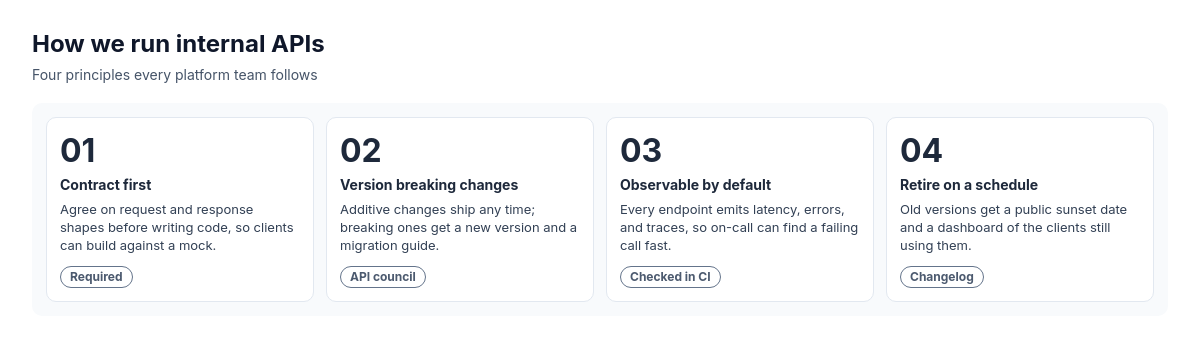 Numbered takeaways with optional footnotesParallel principles or takeaways.
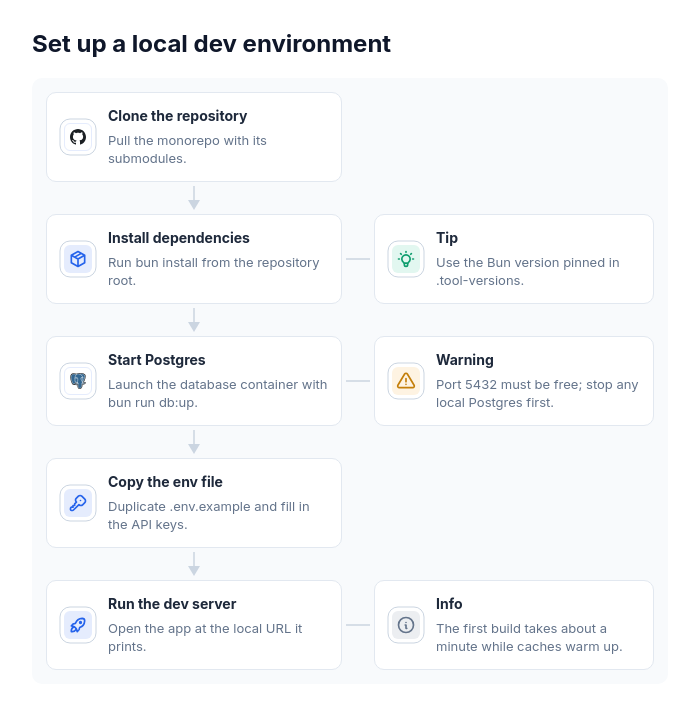 Flowchart: vertical chainOne straight sequence of three to eight steps where some steps need a side remark, such as a setup guide with tips, an onboarding flow with warnings, a data migration with caveats, or a release checklist with reminders.
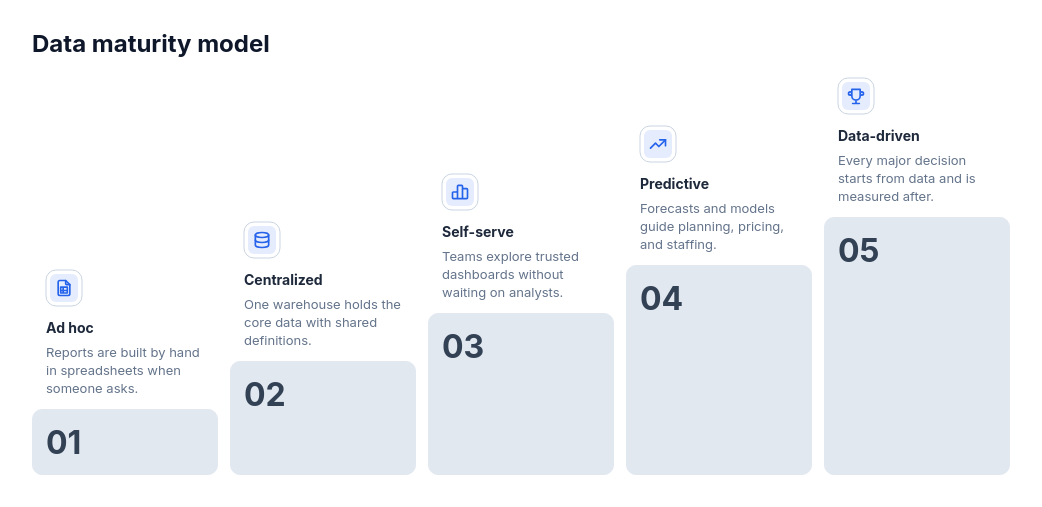 Steps: ascending staircaseThree to six stages that build on each other toward a goal, such as a maturity model, a career ladder, a growth plan, or levels of adoption.
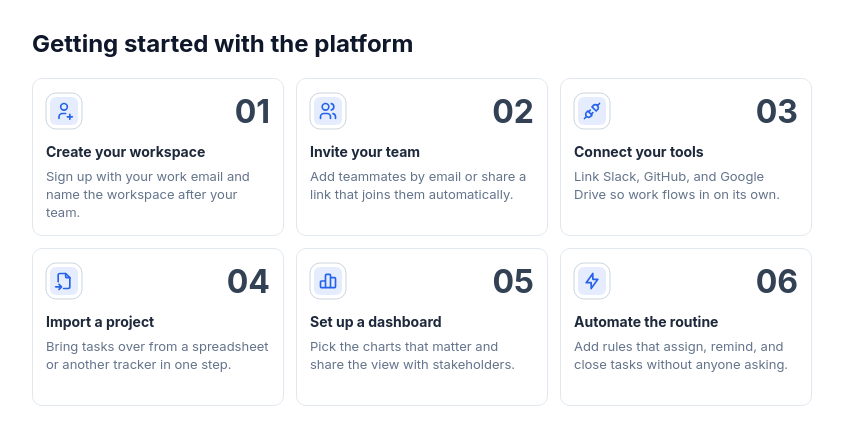 Steps: card gridThree to nine steps of one process that each need a few lines of explanation, such as a getting-started guide, a method, or a service delivery process.
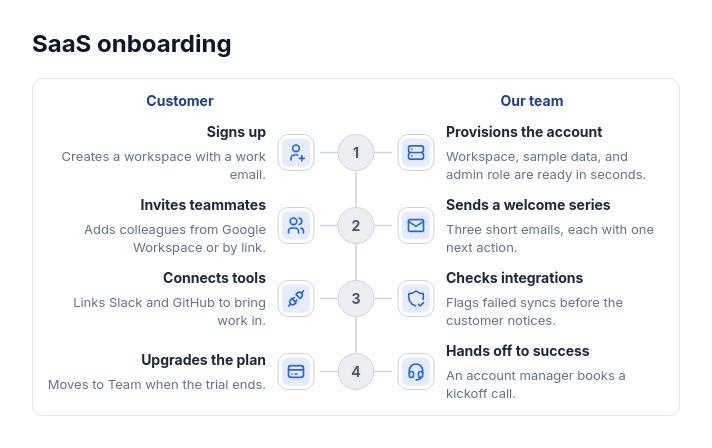 Steps: numbered center spineAn ordered process of two to six steps where two things happen at each step, such as what the customer does and what the team does.
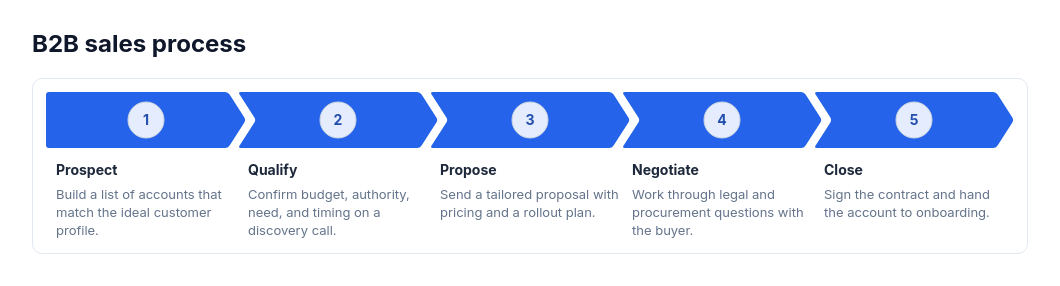 Steps: horizontal chevron ribbonThree to six sequential steps or phases that read left to right, such as a sales process, a delivery method, or an onboarding plan.