Diagram template
Timeline: vertical left rail
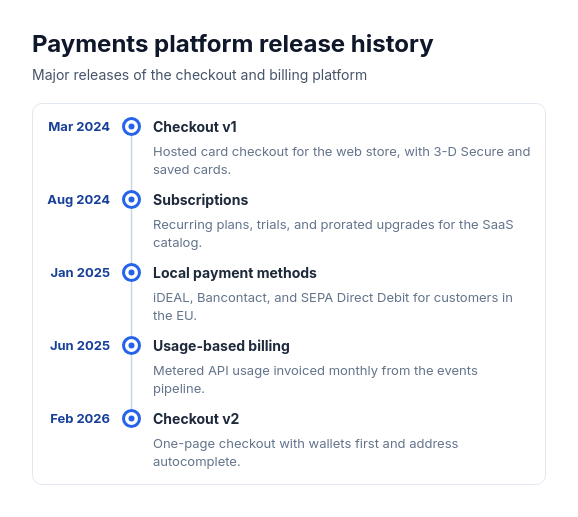
ProA vertical rail on the left with a marker per entry; each entry's date sits right-aligned in a column before the rail, and its bold title and muted description read to the right of it, within one shared panel.
Categories
Included in
Pro, Power, Max
When to use it
Use for three to eight dated or undated events in time order that carry some text, such as a changelog, a company history, an incident log, a project schedule, or a career path. Not for comparisons, hierarchies, cycles that repeat, or items with no order in time.
Adjust after generating
Change the style, colors, and font, and these options, as often as you like without spending credits.
- Card shape
- Color distribution
- Card border
- Card shadow
- Typography
- Spacing
- Alignment
- Material
- Connectors
- Line weight
- Milestones
- Milestone size
What you fill in
Describe your topic in plain words and the AI fills these in. You can edit every field afterwards.
- Entries
- 3 to 8, each with title, optional description, and optional date
Related templates
All timeline templates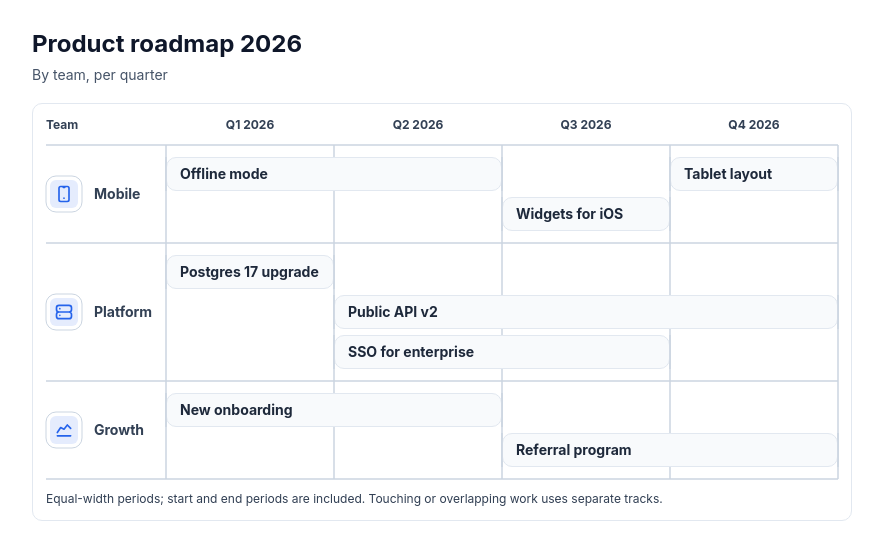 Roadmap: swimlanes by team or themeTwo to four teams, products or workstreams with two to sixteen scheduled initiatives across two to six supplied periods.
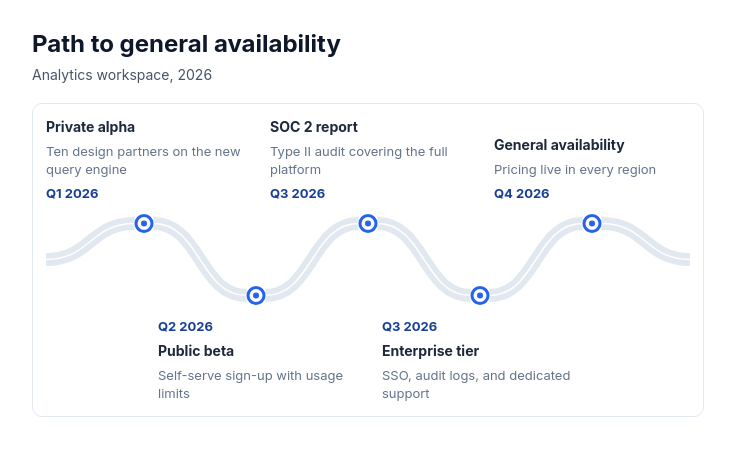 Roadmap: winding roadThree to seven milestones on the way to a goal, such as a product's path to launch, a growth plan, a learning path, or a customer's journey to adoption, with or without dates.
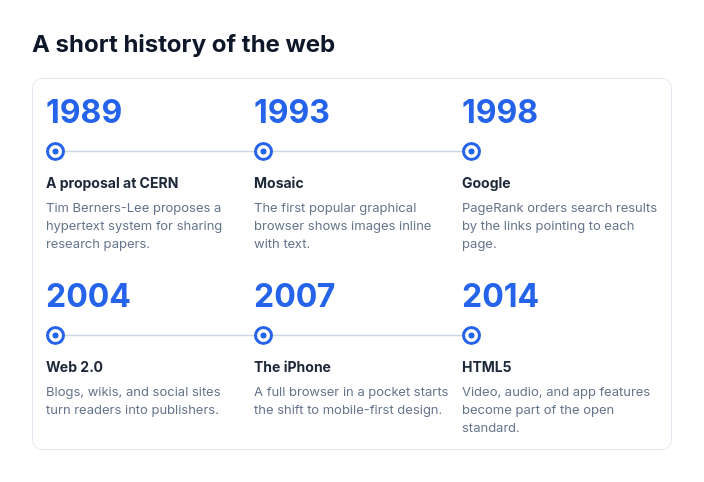 Timeline: history gridThree to eight dated moments in a history where the years matter most, such as a company's founding story, the history of a technology, a brand's heritage, or an organization's anniversaries.
 Timeline: horizontal icon nodesThree to ten events in time order that each need only a few words, such as a release train, a trip itinerary, a customer's first week, an incident log, or a year of launches, with or without dates.
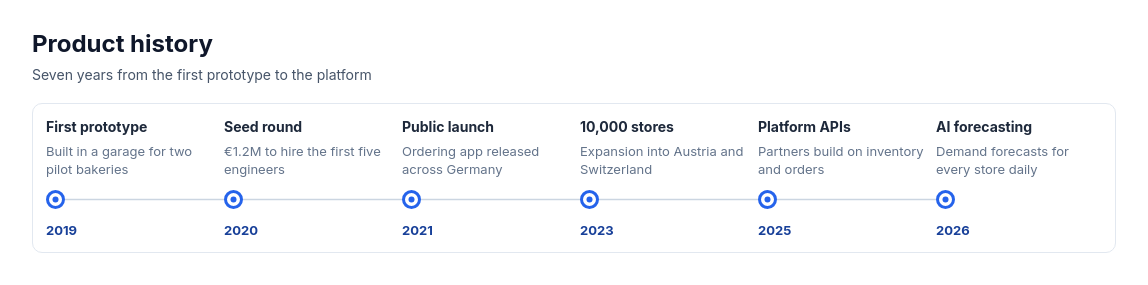 Timeline: horizontal lineThree to eight milestones in time order that need a clean, typographic look, such as a product history, a launch plan, a release schedule, or key dates in a project, with or without dates.
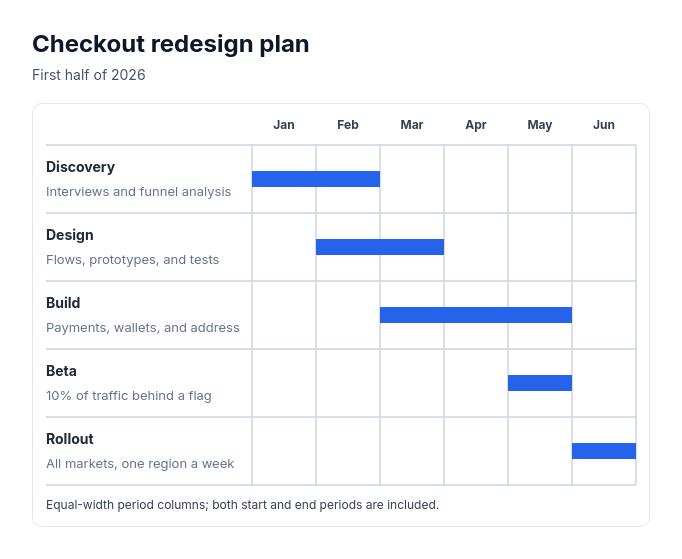 Timeline: phase barsTwo to eight scheduled phases across two to twelve supplied consecutive periods, such as a launch plan by month, a construction schedule by week, or a hiring plan by quarter.