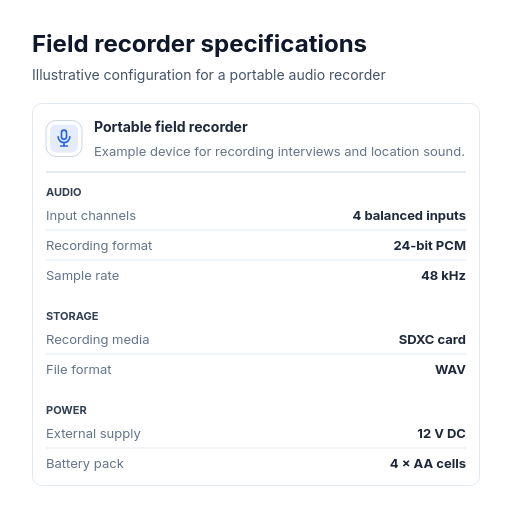
Diagram template
Table: subject header
PowerA structured specification sheet for one subject: a subject header with name, optional icon, and description across the top, above measured key-value specification rows with optional section group headers.
Categories
Included in
Power, Max
When to use it
Use for technical specifications, product data sheets, server configurations, vehicle attributes, device features, or model parameters for a single subject. Not for multi-record data tables, item-by-item comparison tables, or lists of items with per-row status pills.
Adjust after generating
Change the style, colors, and font, and these options, as often as you like without spending credits.
- Card shape
- Card fill
- Card border
- Card shadow
- Typography
- Spacing
- Material
- Icon shape
- Icon size
- Icon fill
- Icon shell
What you fill in
Describe your topic in plain words and the AI fills these in. You can edit every field afterwards.
- Subject
- Name, optional description, and optional icon
- Rows
- 4 to 12, each with label, value, and optional group
Related templates
All table templates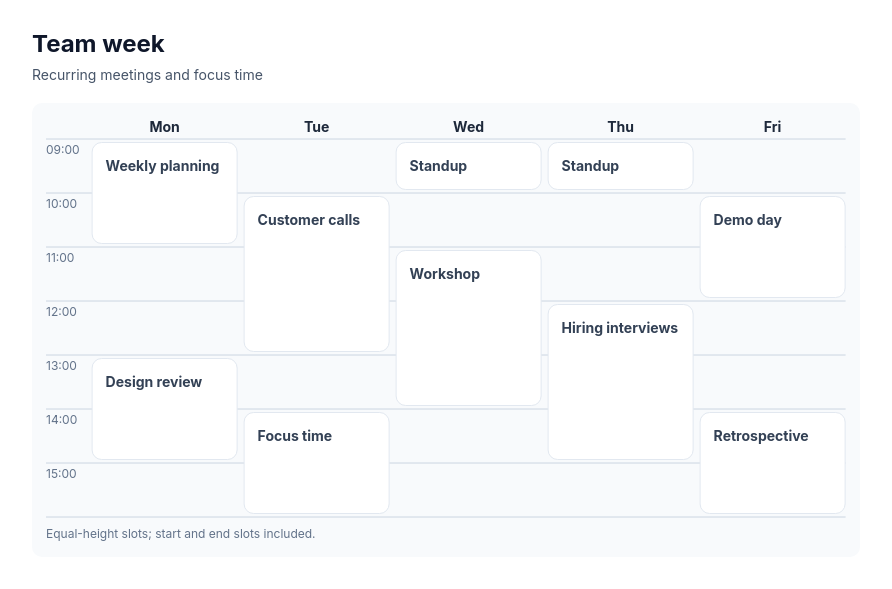 Calendar gridA schedule laid out by period and time slot, such as a week timetable, a conference day plan, a content calendar by week, or a weekly meal or workout plan, with events that occupy one or more consecutive slots.
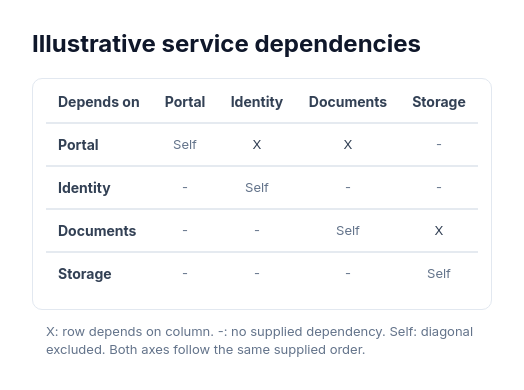 Dependency matrixDense binary dependencies including cycles and reciprocal edges.
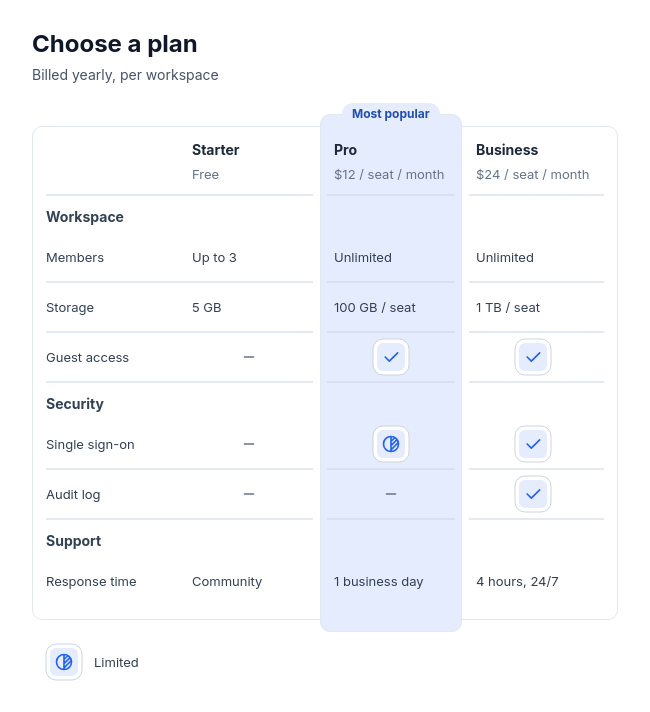 Feature tableCompare two to four plans, products, or tools feature by feature, with three to twelve rows in up to four labelled groups, and optionally one recommended option.
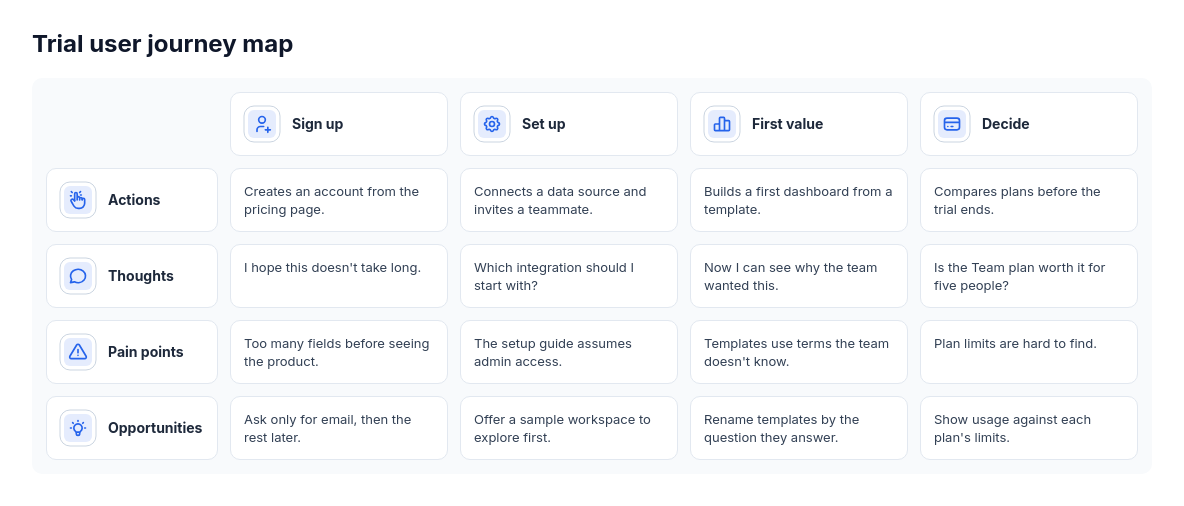 Journey mapCustomer or user journeys with stage-specific actions and observations, such as onboarding research or service design.
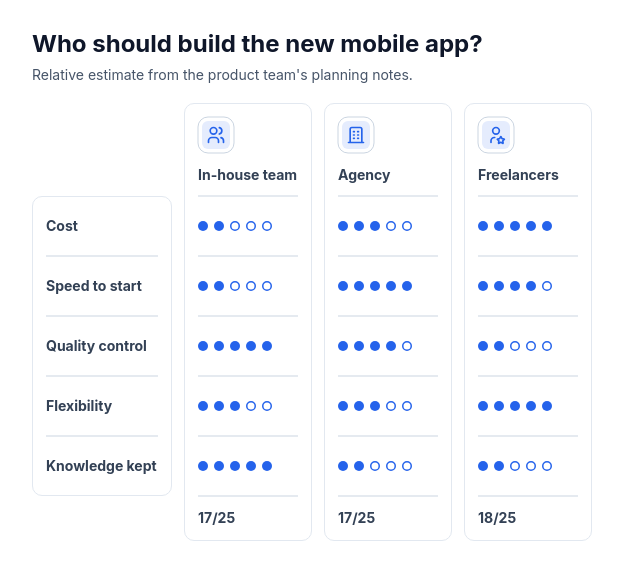 Scorecard: option column cardsCompare two or three options using supplied whole-number ratings from one to five across three to six criteria.
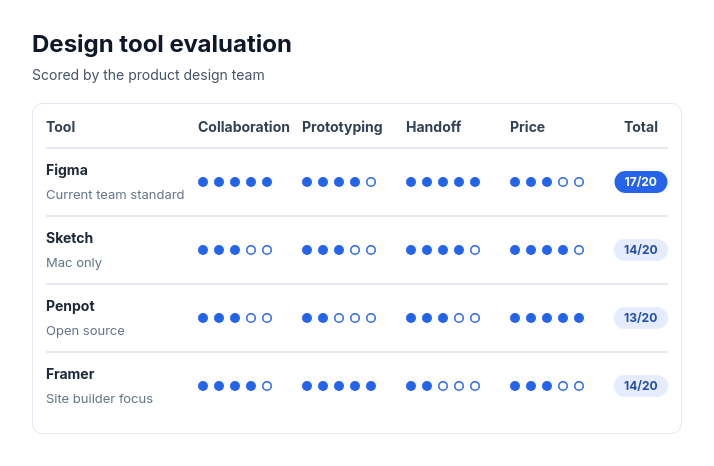 Scorecard: candidate rowsTwo to eight options, vendors, candidates, or ideas rated on the same two to five criteria with whole-number scores out of three to five.