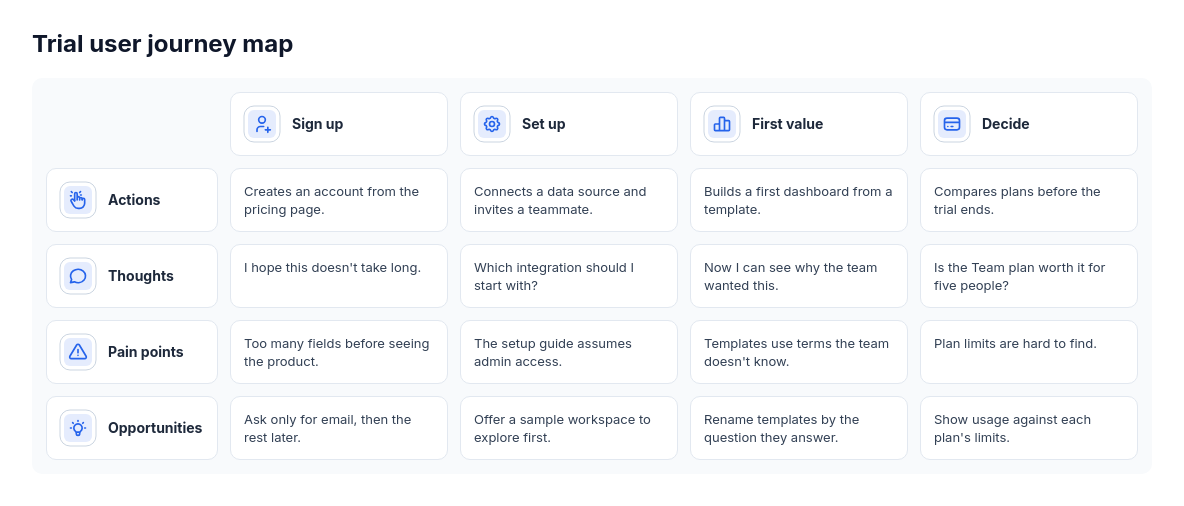
Diagram template
Journey map
PowerThree to five chronological stage columns, each with an icon and title, cross labeled lanes of supplied actions, thoughts, pain points and opportunities. Missing perspectives are explicit; wholly absent lanes are omitted.
Categories
Included in
Power, Max
When to use it
Use for customer or user journeys with stage-specific actions and observations, such as onboarding research or service design. Not for dated timelines, option comparisons or internal process charts without a user perspective.
Adjust after generating
Change the style, colors, and font, and these options, as often as you like without spending credits.
- Card shape
- Card fill
- Color distribution
- Card border
- Card shadow
- Typography
- Icon shape
- Icon size
- Icon fill
- Icon shell
- Spacing
- Alignment
- Material
What you fill in
Describe your topic in plain words and the AI fills these in. You can edit every field afterwards.
- Stages
- 3 to 5, each with title, icon, action, optional thought, optional pain point, and optional opportunity
Related templates
All journey templates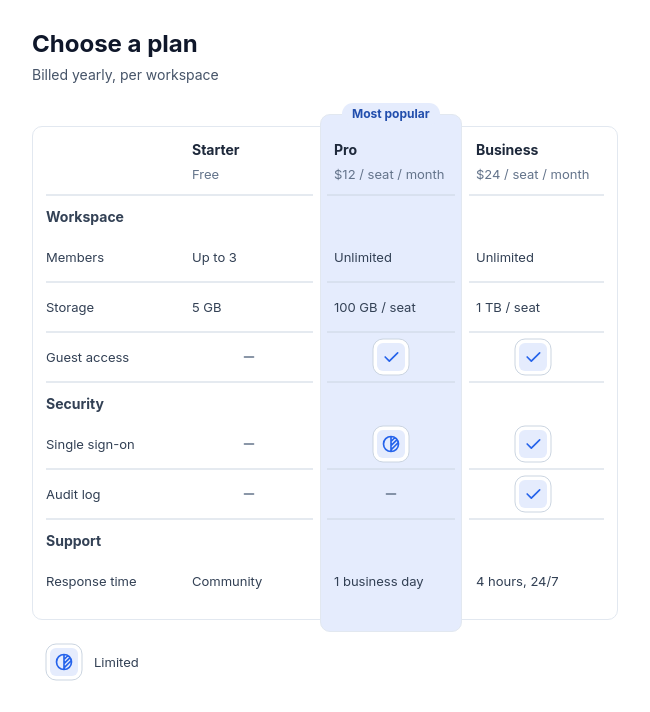 Feature tableCompare two to four plans, products, or tools feature by feature, with three to twelve rows in up to four labelled groups, and optionally one recommended option.
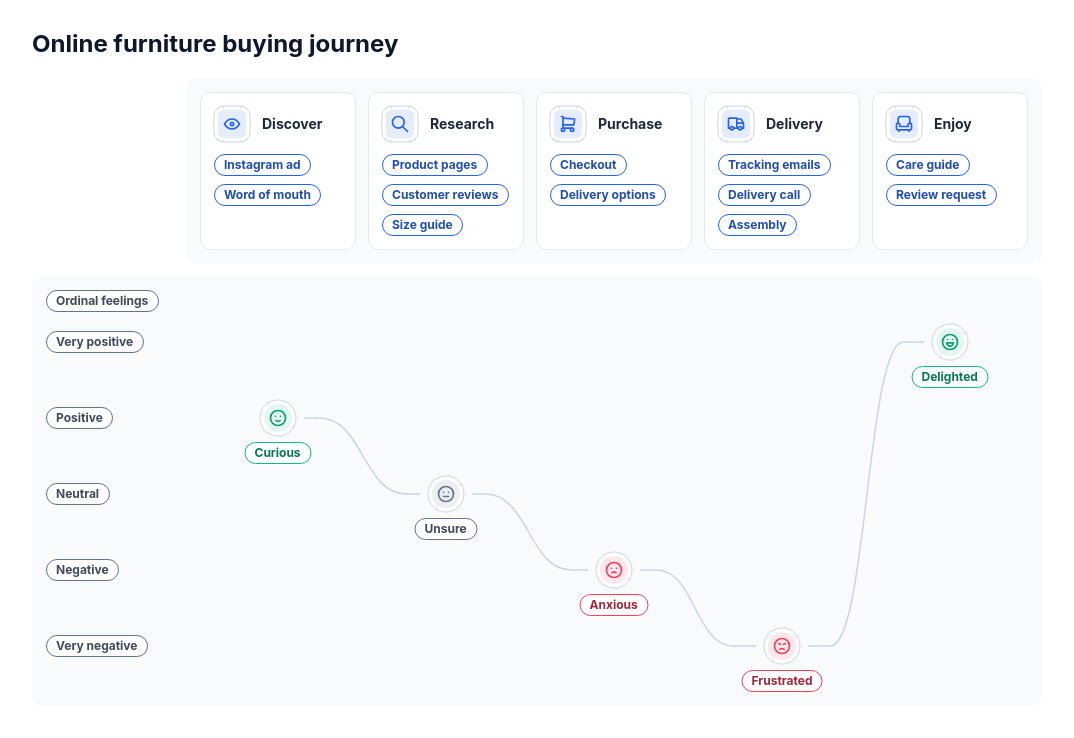 JourneyA customer or user journey with three to six stages and stage-specific touchpoints, optionally with supplied feelings.
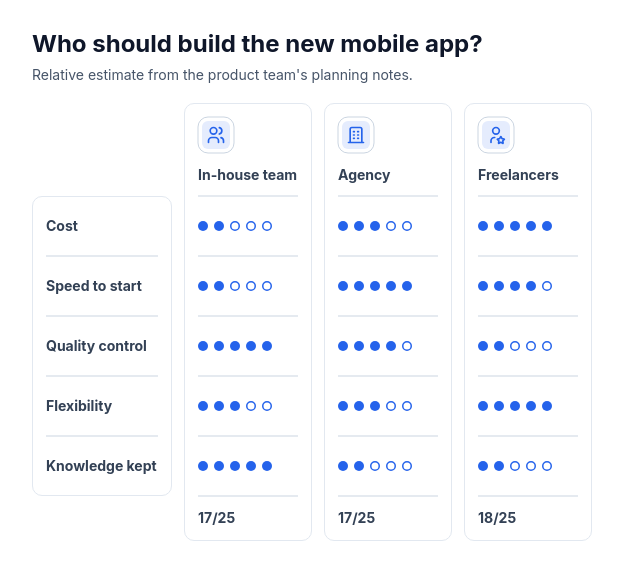 Scorecard: option column cardsCompare two or three options using supplied whole-number ratings from one to five across three to six criteria.
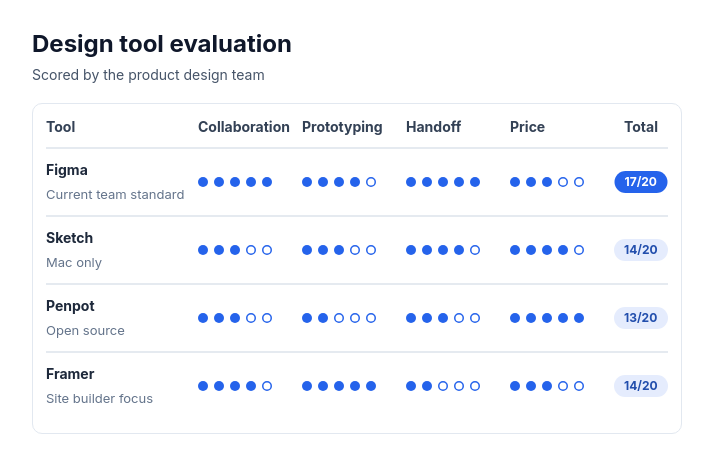 Scorecard: candidate rowsTwo to eight options, vendors, candidates, or ideas rated on the same two to five criteria with whole-number scores out of three to five.
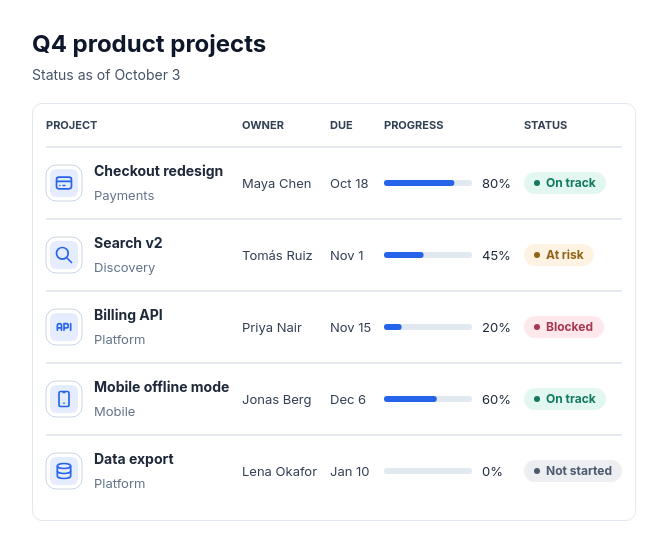 Status tableTwo to eight items that each have the same few facts and, optionally, a status, such as projects with owners and due dates, services with uptime, or leads with priority.