
The Mermaid alternative for designed diagrams
Mermaid turns code into diagrams inside your docs. svgdiagram.ai turns plain words, or the Mermaid code you already have, into designed SVG diagrams for slides, reports and articles.
- No overflowing labels
- Restyle in one click
- Free unlimited edits
- SVG and PNG export
Your diagram appears here
Same source, two results
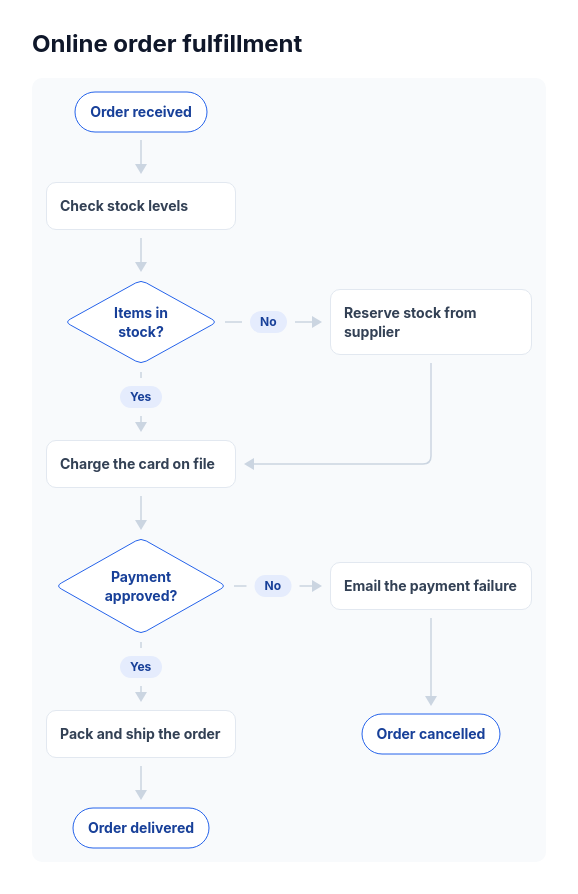
Each example is one Mermaid source. Mermaid 12.3 draws it with its default theme; svgdiagram.ai was given the same source as its prompt and drew it in the Clean style.
 Mermaid 12.3Default theme

 svgdiagram.ai Clean style
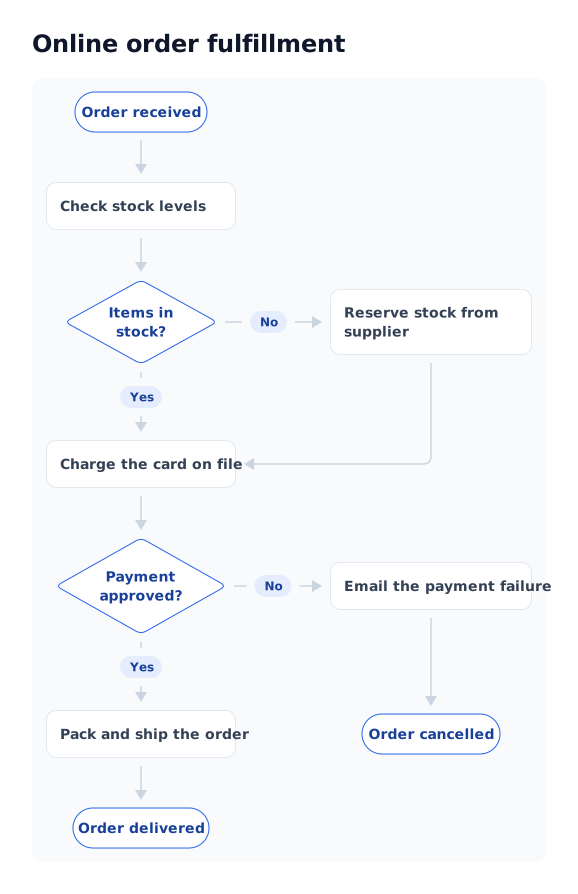
Both are real output from the source shown.
At a glance
Mermaid is code that renders where you write it. svgdiagram.ai makes finished files from words. Each is better at its own job.
svgdiagram.aiMermaidSources for Mermaid, checked November 14, 2026: IntroductionTheme configurationRegistering icon packsmermaid-cliLicenseGitHub Docs: Creating diagrams
Which one to use
Many teams use both: Mermaid for the docs that live next to code, svgdiagram.ai for the diagrams people present.
Choose Mermaid when
- Your diagrams live in READMEs, wikis and Markdown that render Mermaid.
- You want diagrams reviewed and versioned like code.
- The default look is enough for internal docs.
- You need a free library to embed in your own app.
Choose svgdiagram.ai when
- The diagram goes in a deck, report, article or proposal.
- You would rather describe it in words than learn a syntax.
- You want logos, icons and a finished look without styling by hand.
- You already have Mermaid code and want a designed version of it.
Bring your Mermaid code
Nothing to convert or rewrite. The code you have is the prompt.
- flowchart TD A([Order received]) --> B[Check stock levels] B --> C{Items in stock?} C -- Yes --> E[Charge the card on file] C -- No --> D[Reserve stock from supplier]1
Paste the code
Use your Mermaid source as the prompt. Titles in its front matter carry over.
 2
Pick a design
Choose the design to draw it. Nodes, edges, labels and groups map into it.
- CleanColorDarkSVGPNG3
Edit and export
Fix a label, swap an icon or restyle for free, then download SVG or PNG.
Questions
Mermaid code, formats, price and Markdown.

Tony Zedginidze · Creator of svgdiagram.ai
Can I paste Mermaid code into svgdiagram.ai?
Yes. Paste the source as your prompt and choose a design for it. The examples on this page were made that way: nodes, edges, labels and groups carry over, and titles in the front matter become the diagram's title.
Is svgdiagram.ai free?
You can try it without an account. A free account adds 10 diagrams every month, and edits, restyling and downloads never cost anything. Paid plans add more diagrams, more designs and commercial use.
Will it render inside GitHub or my Markdown files like Mermaid?
No. svgdiagram.ai makes files, not code blocks: download the SVG or PNG and embed it like any other image. If a diagram has to live as text in a repository, Mermaid is the better fit.
Can I turn a diagram back into Mermaid code?
No. A diagram is kept as the content of its design, which you edit in a form, not as Mermaid syntax.
Which Mermaid diagram types work?
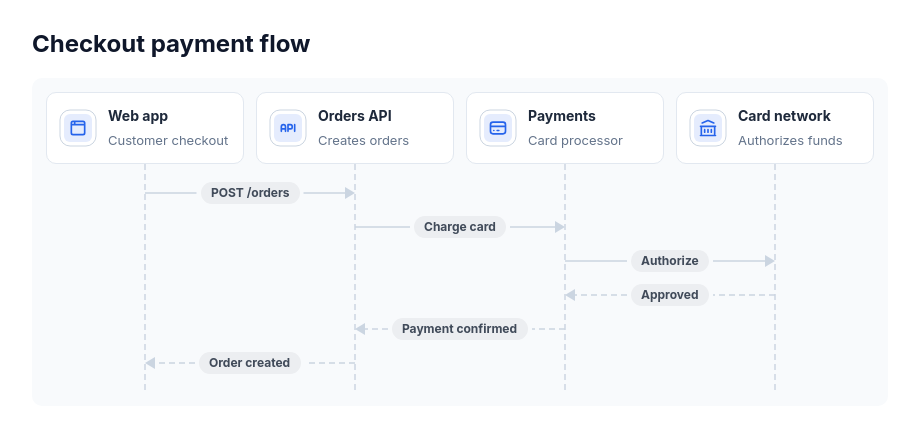
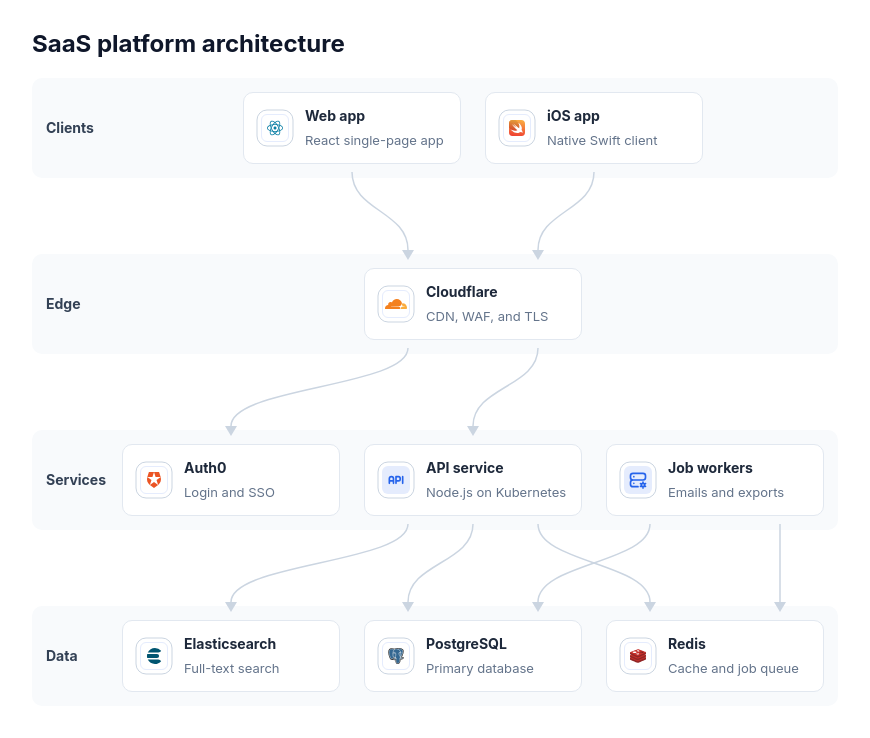
Any type whose content fits a design in the library. This page shows flowcharts, sequence diagrams, architecture, data models and mind maps; the library also has timelines, roadmaps, org charts, charts and more.
Does it change my content?
It keeps your nodes, labels and connections. Where a design has room for more, such as a one-line description or an icon, it may add one; you can edit or remove it for free.
Paste a Mermaid diagram and see it designed
No account needed to try, and 412 designs to draw it in.