The Napkin AI alternative for SVG diagrams
Napkin turns the text in your documents into visuals you pick from. svgdiagram.ai turns the same text into a diagram drawn in a hand-built design, as an SVG you can download free, with no logo on it.
- No overflowing labels
- Restyle in one click
- Free unlimited edits
- SVG and PNG export
Your diagram appears here
Same text, two results
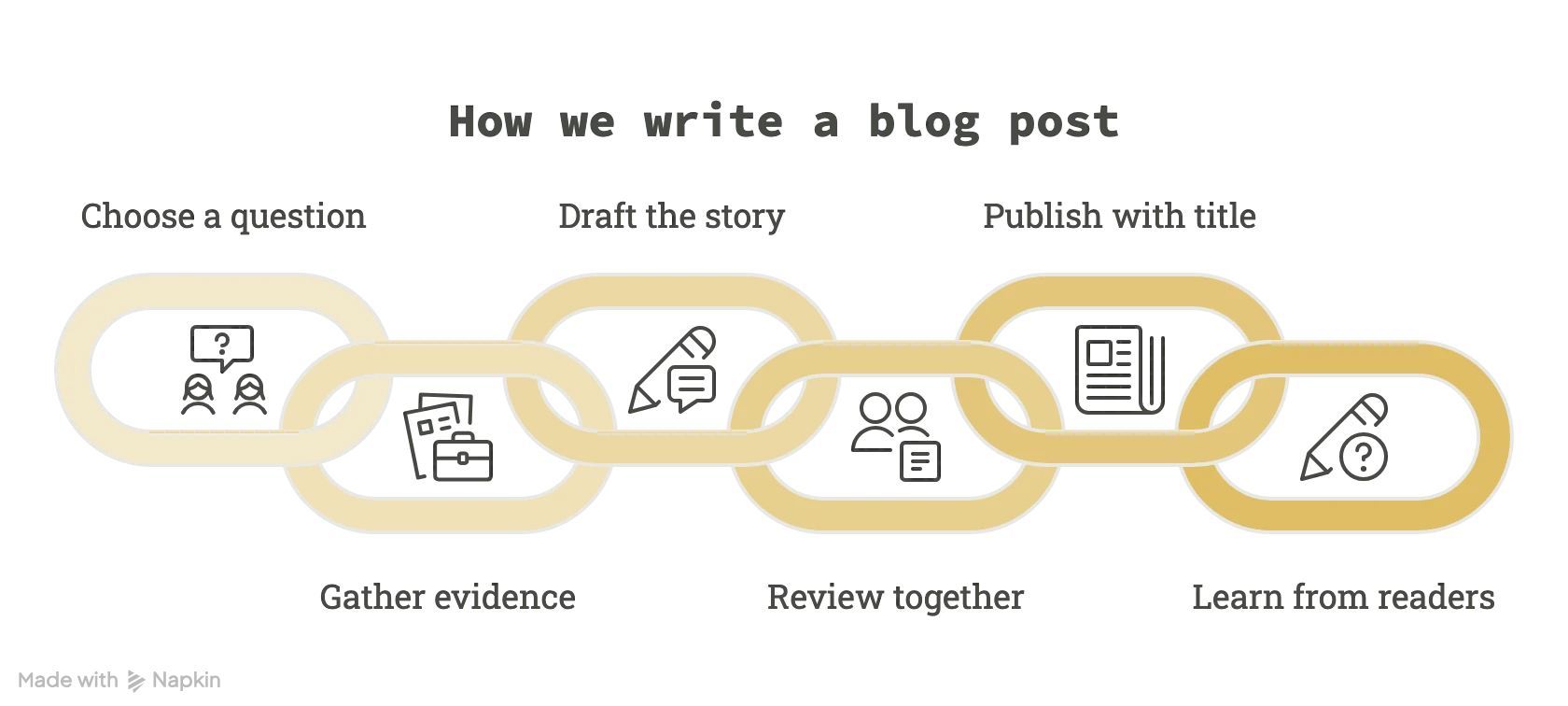
Each example is one paragraph of plain text. Napkin was given it and its first AI suggestion was exported unchanged from the free plan; svgdiagram.ai was given the same text as its prompt and drew it in the Clean style.
 NapkinFirst AI suggestion
 svgdiagram.ai Clean style
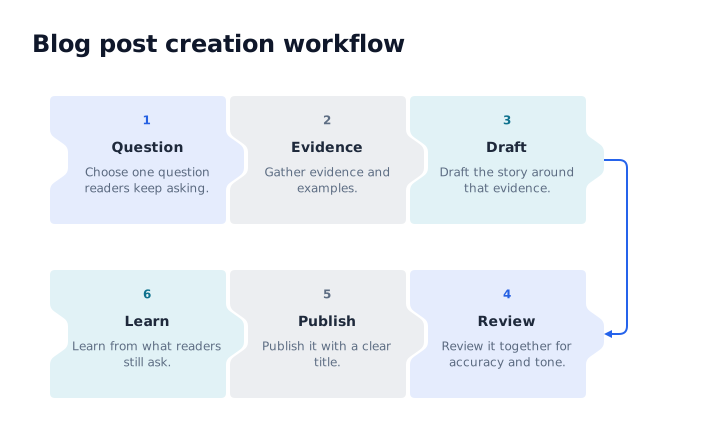
Both are real output from the text shown.
At a glance
Napkin is a writing tool that suggests visuals for your text. svgdiagram.ai is a library of designed diagrams that your text fills. Each is better at its own job.
svgdiagram.aiNapkinSources for Napkin, checked November 14, 2026: PricingHome page and FAQHelp: Visuals export
Which one to use
Both start from the words you already have. The difference is what you want to end up with.
Choose Napkin when
- You are writing a document and want visuals to sit beside the text.
- You like to see several suggestions and pick one.
- You want to move and restyle individual shapes on a canvas.
- You need PowerPoint export or real-time editing with a team.
Choose svgdiagram.ai when
- You need an SVG you can use anywhere, free and without a logo on it.
- You want a hand-built design: a real funnel, cycle or timeline, measured around your text.
- You want to browse the designs first and choose the one that fits.
- You draw architecture with product logos, or already have Mermaid code.
Bring the text you already wrote
No prompt to engineer. The paragraph is the prompt.
- How we write a blog post: choose one question readers keep asking, gather evidence and examples, draft the story around that evidence, review it together for accuracy and tone, publish it with a clear title, and learn from what readers still ask.1
Paste the text
A paragraph from a doc, a post or your notes. Numbers, names and dates carry over.
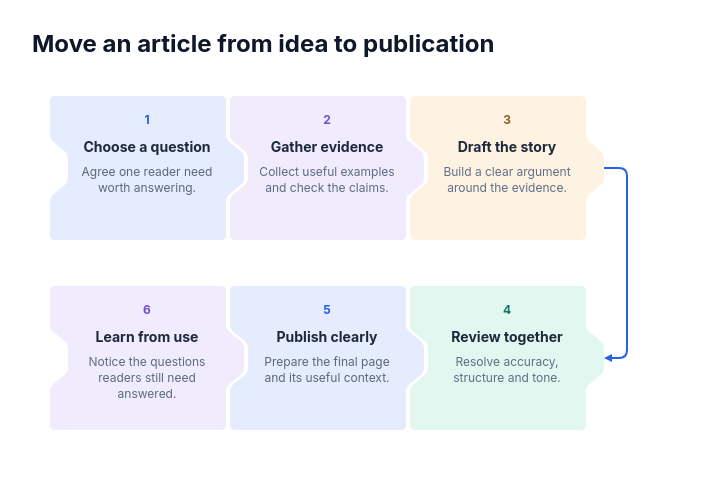
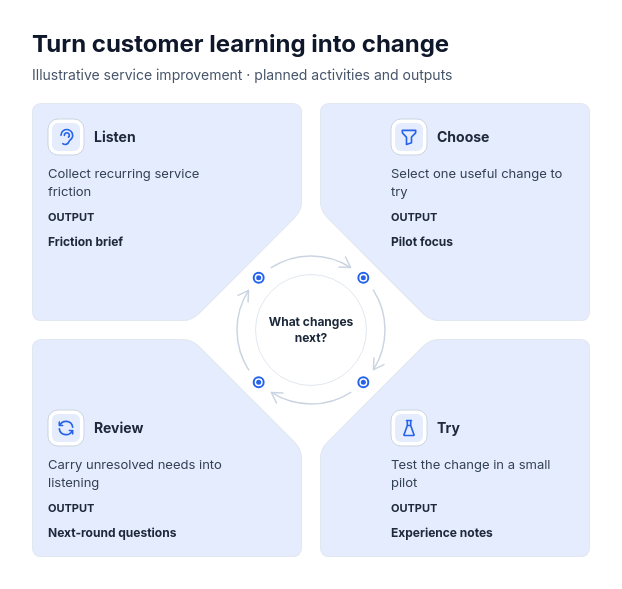
 2
Pick a design
Choose a funnel, cycle, timeline or any design in the library. Your words fill it.
- CleanColorDarkSVGPNG3
Edit and export
Fix a label or restyle for free, then download SVG or PNG, with no logo on it.
Questions
Text, formats, editing and price.

Tony Zedginidze · Creator of svgdiagram.ai
Can I use the same text I would give Napkin?
Yes. Paste the paragraph as your prompt and choose a design for it. Every example on this page was made that way, from the text shown beside it.
Can I download SVG on the free plan?
Yes. Every plan downloads SVG with its fonts embedded, and PNG, with no logo added. On Napkin's free plan, exports are PNG and PDF with Napkin branding; SVG and PowerPoint start with its Plus plan.
Is svgdiagram.ai free?
You can try it without an account. A free account adds 10 diagrams every month, and edits, restyling and downloads never cost anything. Free diagrams are for non-commercial use; paid plans add more diagrams, more designs and commercial use.
Does it suggest several visuals like Napkin?
No. You choose the design, and the prompt fills it. Browse the library first to see every design with an example.
Can I move shapes around on a canvas?
No. You edit the content in a form (text, items, icons) and the design lays it out again. If you want to place and restyle each shape by hand, Napkin's canvas is the better fit.
Does it change my text?
It keeps your facts: numbers, names, dates and steps. Where a design has room for more, such as a one-line description or an icon, it may add one; you can edit or remove it for free.
Paste a paragraph and see it designed
No account needed to try, and 412 designs to draw it in.